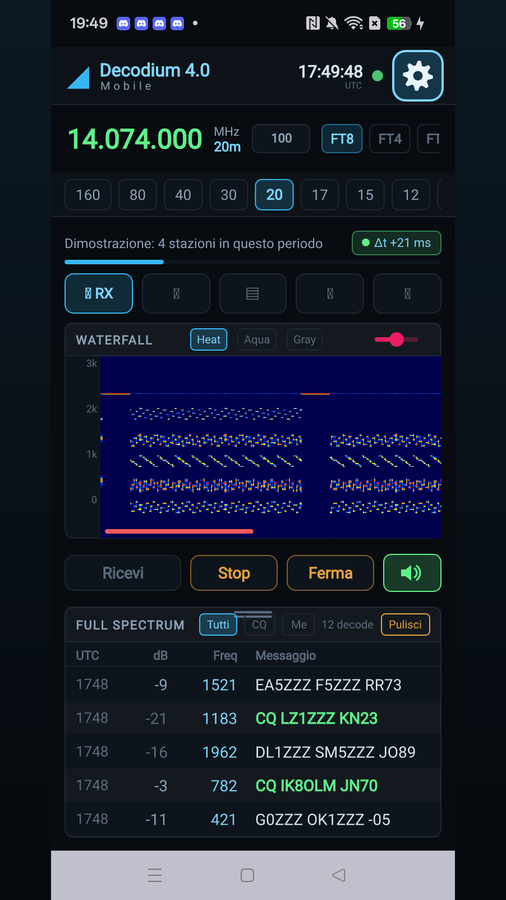
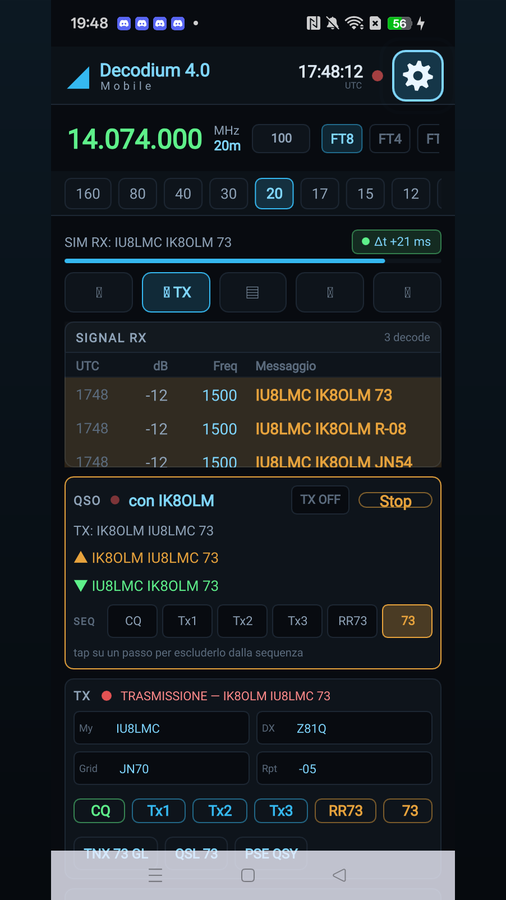
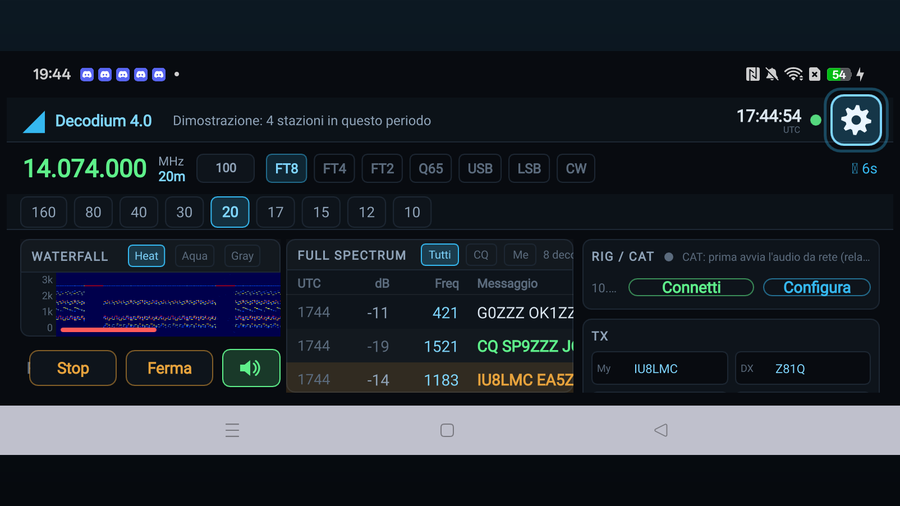
DECODIUM 4.0 Mobile turns your smartphone into the operating panel of your digital station. It decodes FT8, FT4 and FT2 directly on the device — not on a server — using the same engine as the desktop version, and displays the waterfall and spectrum in real time.
What it does
- Decodes FT8, FT4 and FT2 with the full decoder, not a cut-down version
- Real-time waterfall and spectrum, resizable, in portrait and landscape
- QSO sequencer following the real rules of the protocol: call, report, confirmation
- NTP clock synchronisation, essential because digital modes work in windows of a few seconds
- CAT control over the network, or directly over USB-OTG on compatible radios
- PTT and transmit audio, voice included
- Frequency table by band and mode, DXCC entities, map of contacts
- DX cluster and reception reports to PSK Reporter
- Demonstration mode: one button and the app works on example signals, with waterfall, decodes and a complete contact, without connecting anything
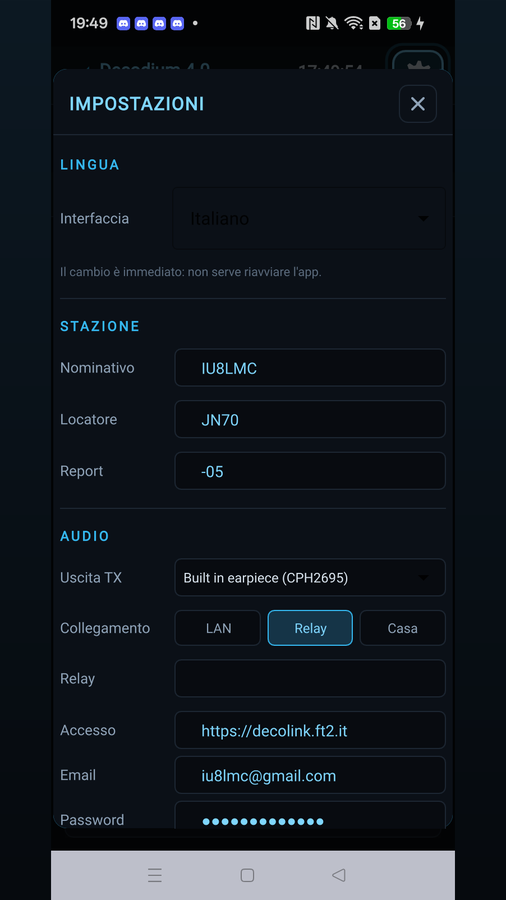
- Interface in fifteen languages — Italian, English, German, French, Spanish, Catalan, Dutch, Danish, Hungarian, Romanian, Latvian, Russian, Japanese, simplified and traditional Chinese — picked from the phone on first start and changeable on the fly from the settings
Important: you need a radio and the DECOLINK program on a PC
This app is not a receiver: on its own it hears nothing. The audio comes from the computer connected to the radio, through DECOLINK, the free Windows program available at decolink.ft2.it. Decolink takes the audio from the transceiver's USB codec and sends it to the phone; it also acts as a CAT service, so there is no need to install Hamlib separately. No OTG cable is required.
The two ways to connect
1 · Local network
The phone is on the same WiFi as the computer. This is the simplest route and needs no registration at all: no data leaves your home.
In Decolink you enter the phone's IP address; on the phone you choose Setup > AUDIO > Connection = LAN and press “Receive”. For CAT: TRANSMIT > Connect, with the computer's IP and port 4532.
2 · Remotely, through the relay
The phone can be anywhere, mobile data included. This needs a free account on decolink.ft2.it: register at decolink.ft2.it/registrati giving your callsign and station, and the request is approved by the station owner.
Once signed in, in Decolink you pick the station from the drop-down list, and on the phone you set Connection = Relay with the same credentials. This is the mode that always works, and the only practicable one on mobile data. The role you are given may be listen-only — the station owner's choice, not a shortcoming.
Who it is for
Licensed radio amateurs who have a station to control.
Privacy
No advertising, no analytics, no tracking. The data stays on the phone: only what you choose to put on the air or send to the amateur radio networks leaves it (PSK Reporter, DX cluster), as the nature of the service requires. The microphone is used only for voice, while you hold the button down, and is never recorded. The account is only for the remote connection: anyone working on the local network needs to register nothing.
Requirements
- An amateur radio licence and a station to control
- An Android device
- A Windows PC running DECOLINK, connected to the transceiver
- A shared WiFi network (LAN mode) or a free account on decolink.ft2.it (relay mode)
What's new in 1.10
First published version.
- FT8, FT4 and FT2 decoding on the phone, with real-time waterfall and spectrum
- CAT rig control and transmission, voice included
- Interface in fifteen languages, picked from the phone and changeable on the fly
- Demonstration mode: one button to see the app at work with no radio connected
Links and support
- Download: Google Play
- Decolink for PC: decolink.ft2.it
- Relay registration: decolink.ft2.it/registrati
- Community and support: Telegram channel
- Email: iu8lmc@gmail.com
Frequently asked questions
I installed the app but it decodes nothing.
The app is not a receiver: the audio has to come from your station. Install DECOLINK on the PC connected to the radio and pick either the LAN or the Relay connection. In the meantime you can see how it works in demonstration mode.
Do I really need a PC?
Yes. The computer running Decolink bridges the transceiver's USB codec and the phone, and also acts as the CAT service. Decolink is free and available for Windows.
Do I have to register?
Only for relay mode, that is, to operate away from home. If phone and PC are on the same WiFi, no registration is needed and no data leaves your network.
Can I transmit?
On your own station, that is up to you. If you connect to someone else's station, the role you are given may be listen-only.
Does it work on mobile data?
Yes, through the relay. It is the only practicable mode away from home, because the phone sits behind the operator's NAT.
Do I need an OTG cable?
Not for audio. CAT can also run directly over USB-OTG on compatible radios, but it is not required.
Which modes are supported?
FT8, FT4 and FT2, with the full decoder.
Is there an iPhone version?
The Android version is the one available at the moment.
73 de Martino IU8LMC